Litigation, unburdened.

Forward‑deployed AI for civil litigators Book a consultation
Affidavit of Documents Productions Bundle Motion Record Chronology Book of Documents The Compendium Transaction Schedule Certified Translations Defensibility Report Affidavit of Documents Productions Bundle Motion Record Chronology Book of Documents The Compendium Transaction Schedule Certified Translations Defensibility Report

The Reality

The evidence arrives as chaos. The court expects order.

A civil file arrives as a mix of voice notes, chat threads, bank drafts, cheques, photographs, and scanned statements, often with much of it in another language. Before any of it can be disclosed, it has to be read, translated, organized, redacted, and assembled into filings that meet the court's rules.

That work is non‑billable, error‑prone, and never quite finished, and it usually falls to your most senior people. Trialstar turns it into sworn, Case Center‑ready disclosure, with every fact traceable to the exact page it came from.
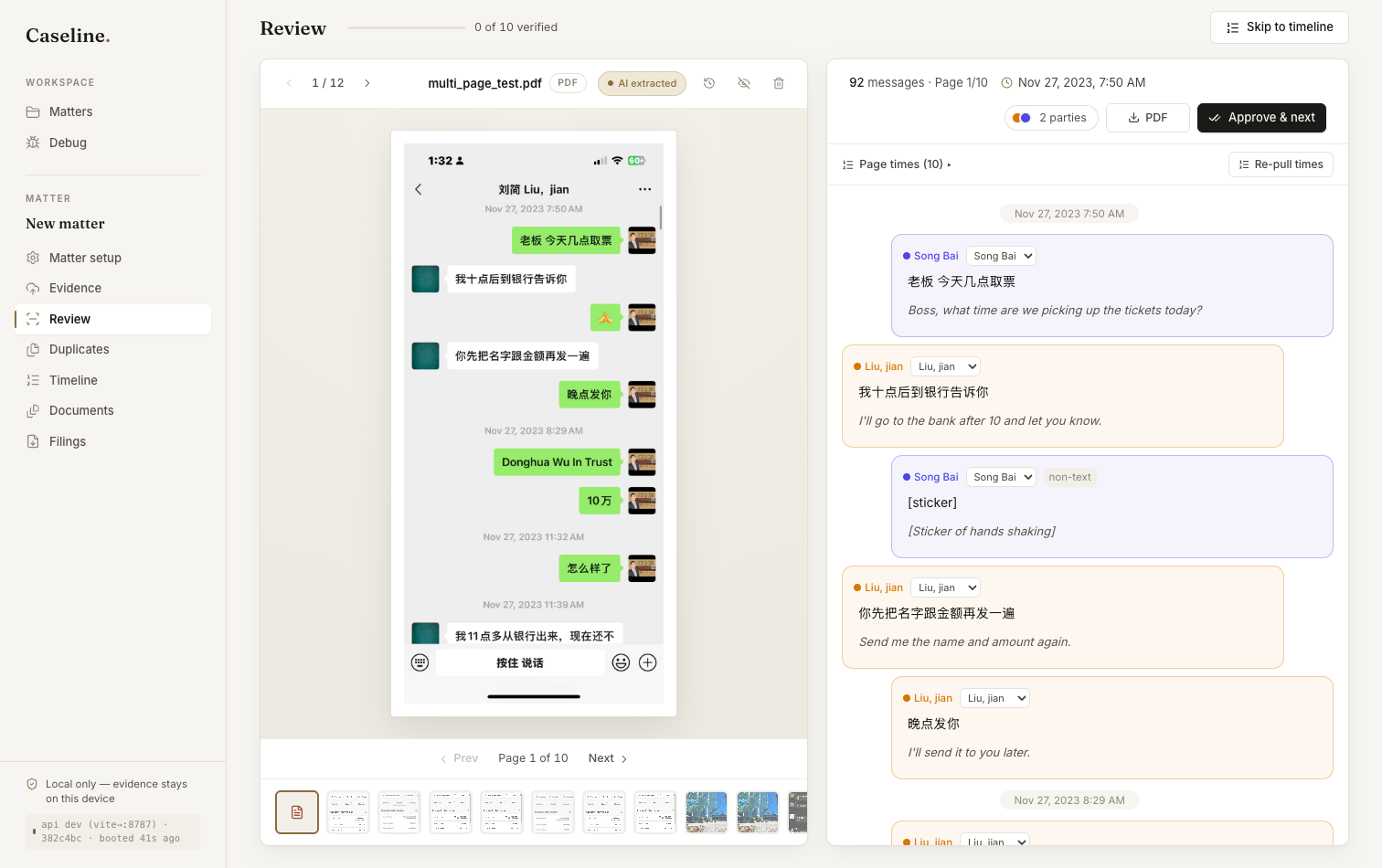
Trialstar reviewing a bilingual chat thread with inline English translation, speaker labels, and page timing, with evidence kept local to the device
Every message, translated and traceable to its source.

The Platform

Everything between raw evidence and a filed record.

Trialstar reads evidence in any format and any language, and turns it into court‑ready Ontario disclosure. Every line traces back to its source.

01

Understand any evidence

Audio and video are transcribed with word‑level timing and speaker labels, and chat threads are reconstructed in full. Cheques, drafts, invoices, and statements are read into typed fields you verify against the image, and photographs and PDFs are classified for you.

02

Speak every language

Foreign‑language evidence is translated inline and taken through a certified‑translation workflow, so the version you file is court‑ready.

03

A defensible record

Every extraction and edit is recorded and traceable to its source page. When you need to show your work, export a Defensibility Report setting out how each fact was derived.

04

Redaction that holds up

Black out privileged content on the page. It is burned into every export, cannot be copied or searched, and the original file is never altered, so redaction stays a separate, auditable layer.

05

See both sides

Ingest the opposing side's productions and merge them into a single chronology, so your timeline reflects all of the evidence in the matter, not only your own.

06

Search and collaboration

Full‑text search runs across every document in a matter, and shared matters let paralegals, associates, and counsel work from the same file instead of emailing versions back and forth.

It is built around the way your firm already practices, not the other way around.

Nothing on trust

Confirm every field against the original. Then redact what's privileged.

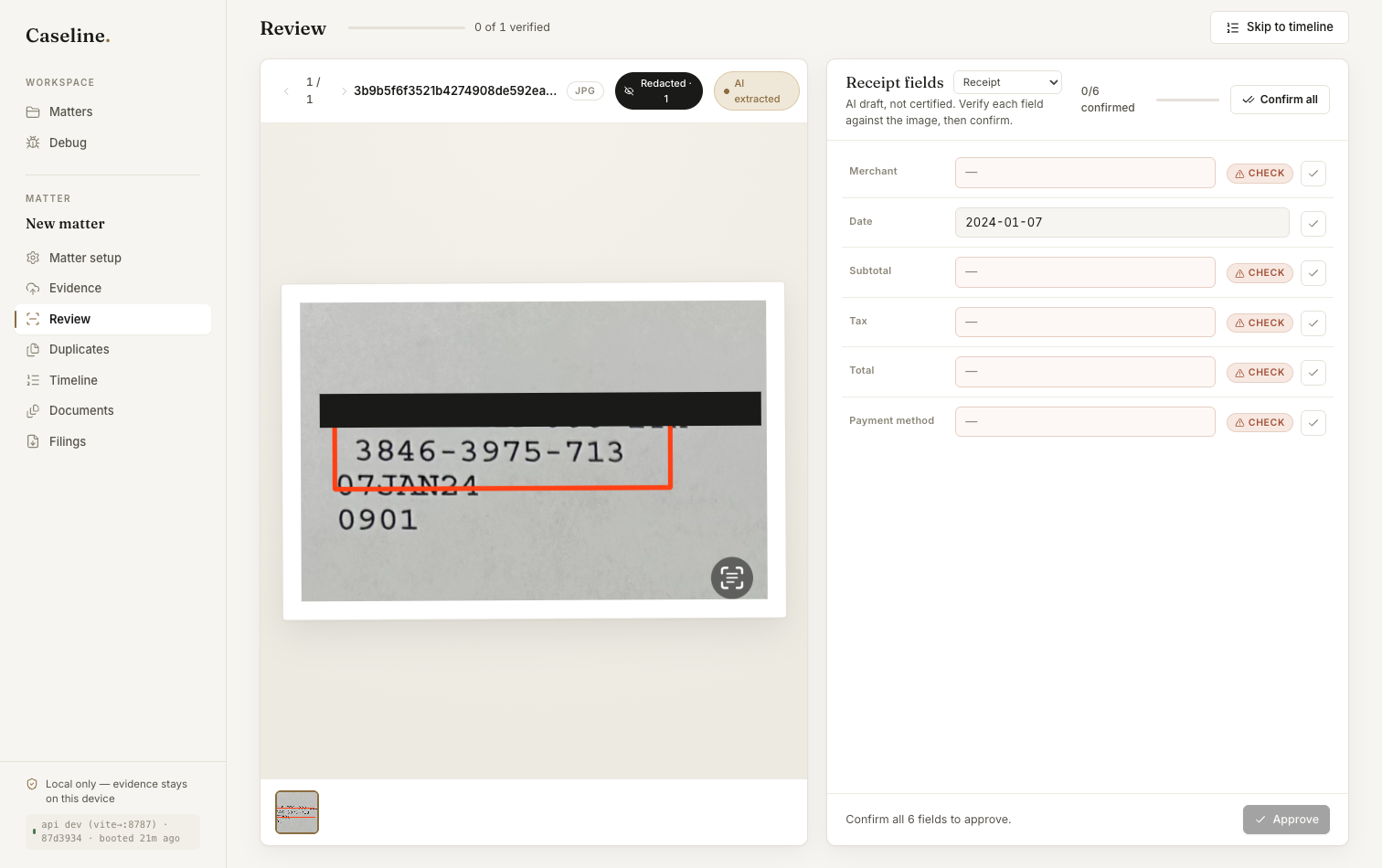
The AI drafts; you decide. Each extracted value, whether a payee, an amount, or a date, sits beside the image it came from and stays flagged until you confirm it. Nothing is approved automatically.

Black out privileged content directly on the page. It is burned into every export without touching the original file, so what reaches the other side is exactly what you intended.

Trialstar verifying a receipt's typed fields beside the source image, with an account number hidden by a burned-in redaction

The Filings

Every document your matter needs, generated.

One verified evidence set produces every court output, assembled and numbered to Ontario Case Center rules. You review the result; Trialstar does the assembly.

Form 30A

Affidavit of Documents

Schedules A, B, and C, numbered, with grounds of privilege in place and ready to be sworn.

Rule 30.03

Productions Bundle

Every produced document, tabbed and paginated to Case Center's per‑file limits.

Rule 37

Motion Record

Table of contents, internal hyperlinks, and pagination, built to the court's format.

Chronology

Chronology of Events

A clean, cited timeline of the matter you can drop straight into a factum.

Trial

Book of Documents / Joint Brief

The hearing bundle, assembled and tabbed from the documents you have already verified.

Hearing

The Compendium

The key passages and exhibits, pulled together into the compendium the bench expects.

Financial

Transaction Schedule

Cheques, drafts, and transfers reconciled into one schedule that ties back to the evidence.

Form 4D · Rule 38 · Rule 20

Affidavit & Exhibits

A general affidavit with lettered exhibits, the same engine behind responding motion records, Application Records, and summary‑judgment records.

Provenance

Defensibility Report

The full provenance of a matter, covering every source, extraction, and edit, exported for review.

Every file leaves Case Center‑ready, with page limits, the filename protocol, and pagination handled.

How It Works

From raw files to a filed record, in three steps.

Most legal software asks your firm to change how it works. Trialstar does the opposite. We deploy it around your existing practice, then it handles the assembly.

01

Add your evidence

Add your files in any format or language. Trialstar transcribes, translates, classifies, and organizes them into a structured matter automatically.

02

Verify beside the source

Review each extraction next to the original, and confirm, correct, or redact as needed. Nothing is relied on until you approve it, and every choice is recorded.

03

Export, court-ready

Generate the filing you need, whether an Affidavit of Documents, a productions bundle, or a motion record. Each one is Case Center‑conformant, with provenance behind every line.

It works with your forms, your jurisdiction, and your standards, with nothing new to learn.

For Ontario civil litigation

Disclosure, from the first file
to the final filing.

Book a consultation

Trust & Security

Built for the duty you owe your clients.

Automating the work does not loosen your obligations. Trialstar is built to meet the standard the Law Society holds you to.

Local‑only by default

Evidence stays on your device. Nothing is uploaded to a shared cloud, and your matters are never used to train anyone's models. Confidentiality is the default.

Provenance on every line

Each fact traces to the exact page it came from, and every edit is logged. When you need to show your work to a partner, opposing counsel, or the court, export a Defensibility Report.

Privilege‑safe redaction

Redactions are burned into exports, so blacked‑out content cannot be copied or searched, and the original file is never altered. What leaves your office is exactly what you intended.

Case Center‑conformant

Filings meet Ontario Case Center rules by default: per‑file page limits and volumes, the filename protocol, and clean pagination. The upload works the first time.

Our Team

The people who build inside your firm.

Trialstar is built by engineers who have spent their careers turning messy, document‑heavy work into systems people can rely on. When you work with Trialstar, you work with us directly.

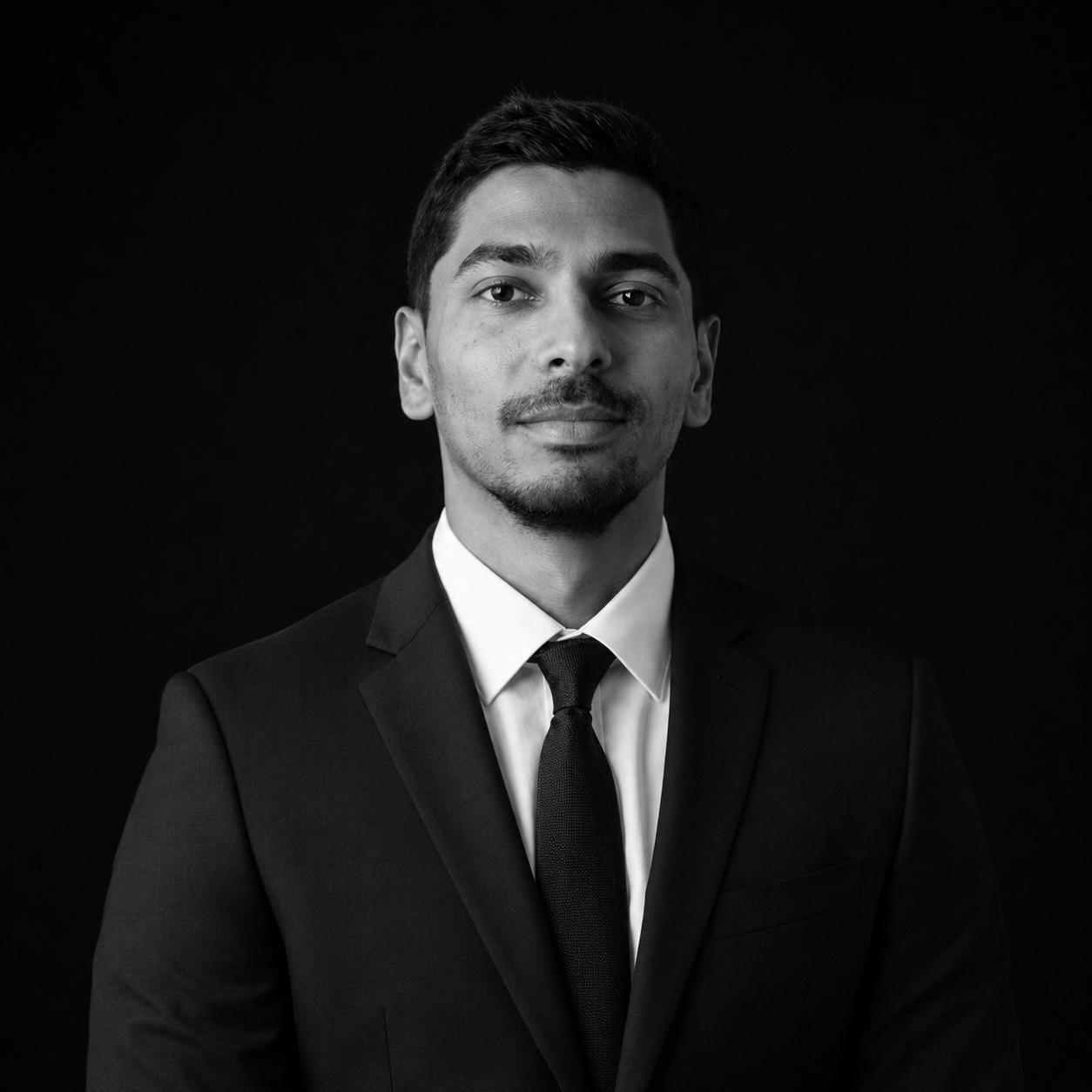
Charlton Davis, Founder
Charlton Davis Founder

Builds the systems that turn document‑heavy work into reliable output, and leads how Trialstar is deployed inside each firm.

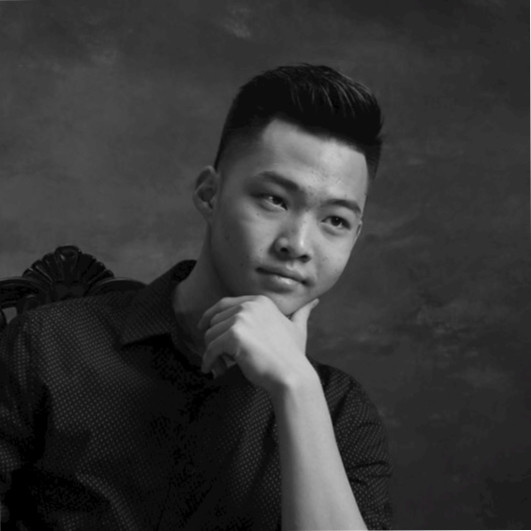
Charles Zhang, Founder
Charles Zhang Founder

Leads the engineering behind Trialstar's disclosure pipeline, with a focus on output that holds up under a real filing deadline.

Common Questions

The questions we hear most.

Where does our data live?

On your machine. Trialstar runs locally, so evidence is not uploaded to a shared cloud and your matters are never used to train shared models. Confidentiality and privilege come first.

Is it built for Ontario?

Yes. Trialstar is built around Ontario civil litigation, including the Affidavit of Documents (Form 30A), productions, and motion records. Its output conforms to Case Center rules, from page limits to the filename protocol.

Does it replace my judgment?

No. Every extraction is a draft you verify against the source, and you approve every output. Trialstar does the assembly; the judgment stays with you, backed by a full provenance trail.

How do we get started?

Book a consultation. We set Trialstar up around your practice and prove it on one of your real matters before you commit to anything.

Let's Talk

See it on your own matter.

Pick a time below. We will run your own evidence through Trialstar, live, and show you the court‑ready filings it produces.

Prefer email? Reach us at hello@trialstar.org.